


Wildlife photography often comes with challenges that are difficult to avoid in the field. Subjects are frequently far away, which means photographers often need to crop heavily to achieve a stronger composition. Early morning and late evening shooting conditions can also introduce visible image noise.
These limitations can make it harder to preserve the fine details that bring wildlife images to life. Feather patterns, fur textures, and other subtle details may appear less defined, especially after cropping or shooting at higher ISO settings.
Built by photographers. Shaped by you.
We are building a new home for photographers, a platform that does not sell your portfolio, bury your shots, or tell you what to shoot next. You do. Community, podcast, Prime Classes, and a pro listing service on the way, all shaped by the photographers who use it.
Joining is completely free until December 2026. After that, a free layer stays for everyone, so you keep access either way.
Become a beta testerIf you want to improve the quality of your wildlife photos, AI image enhancers can provide a highly effective solution.
I’ve tested five popular options and examined their results in several common shooting scenarios.
How I Tested
For this testing, I selected wildlife photos that reflect some of the most common challenges photographers face in the field. The sample images included a high-ISO fox photo with visible noise, a heavily cropped bird photo that required enlargement, and a soft deer photo.
I evaluated each tool based on visual results, paying particular attention to noise reduction, detail preservation, upscaling quality, and whether the final image maintained a natural appearance.
Wildlife photography presents unique challenges for AI processing. Fine textures such as feathers and fur can be easily oversmoothed or artificially reconstructed. Throughout the testing, I looked closely at how each tool handled these details while improving overall image quality.
Case Study 1: Reducing High-ISO Noise While Preserving Fur Texture
Noise is one of the most common issues in wildlife photography. Animals are often most active around sunrise and sunset, when available light is limited and higher ISO settings become necessary.
For this example, I used a photo of a young fox photographed in natural light. The original image showed visible luminance noise, and this issue became more noticeable when viewing the image at a larger size. However, processing the file through an AI image enhancer can completely change the result.
Taking Aiarty Image Enhancer as an example from our test group (we’ll also look at how other tools performed later on), I applied the Real-Photo v3 model with 1× Upscale and Strength set to 0.9. After processing, the image appeared noticeably cleaner.
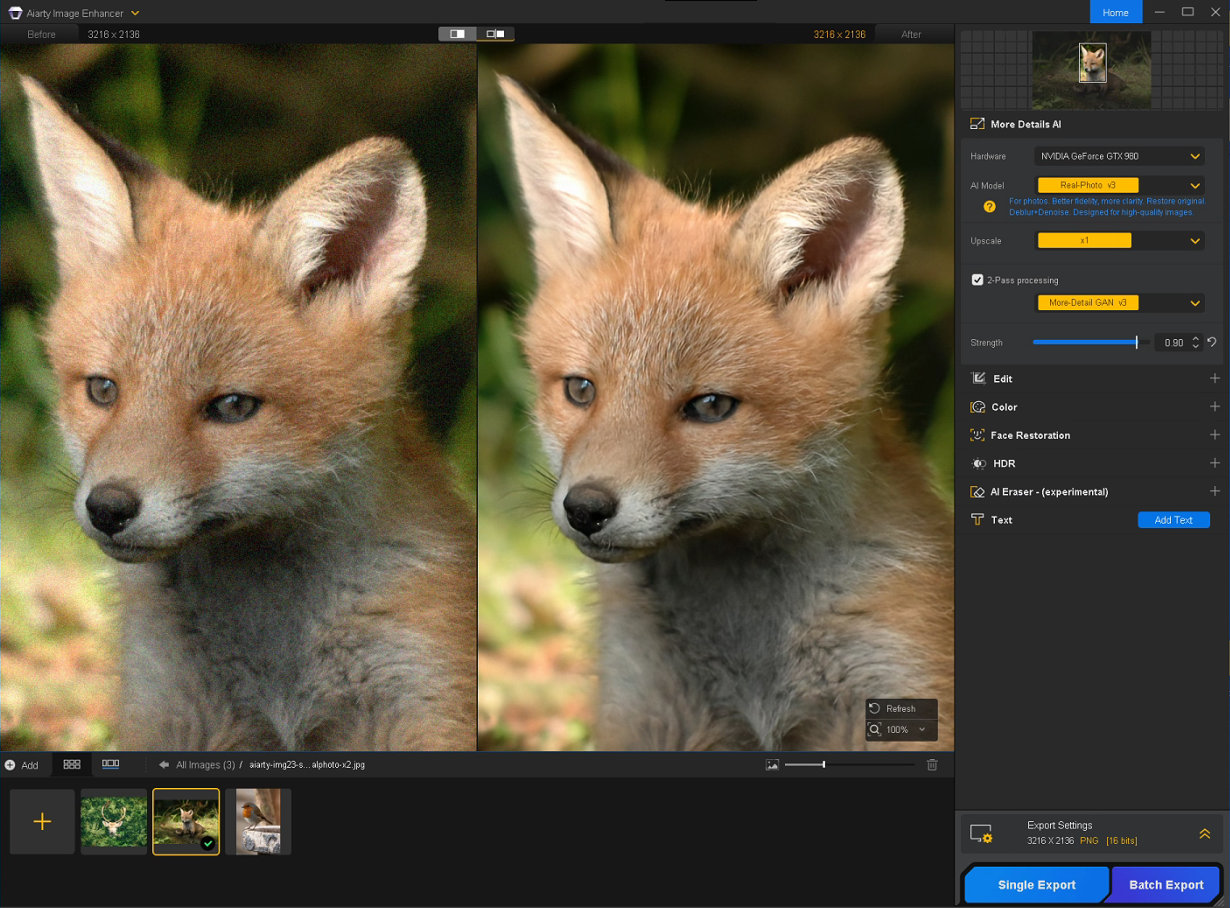
Noise was greatly reduced, and the fox’s fur looked more refined without becoming overly smooth. I also noticed improved separation between individual strands around the ears and facial edges, which helped the subject stand out more clearly from the background.
Case Study 2: Upscaling Heavily Cropped Wildlife Images
Heavy cropping is often unavoidable in wildlife photography. While it can improve composition, it also reduces resolution and limits how large an image can be displayed or printed.
This cropped bird photo started at just 808 × 1200 pixels. This resolution left little room for enlargement.
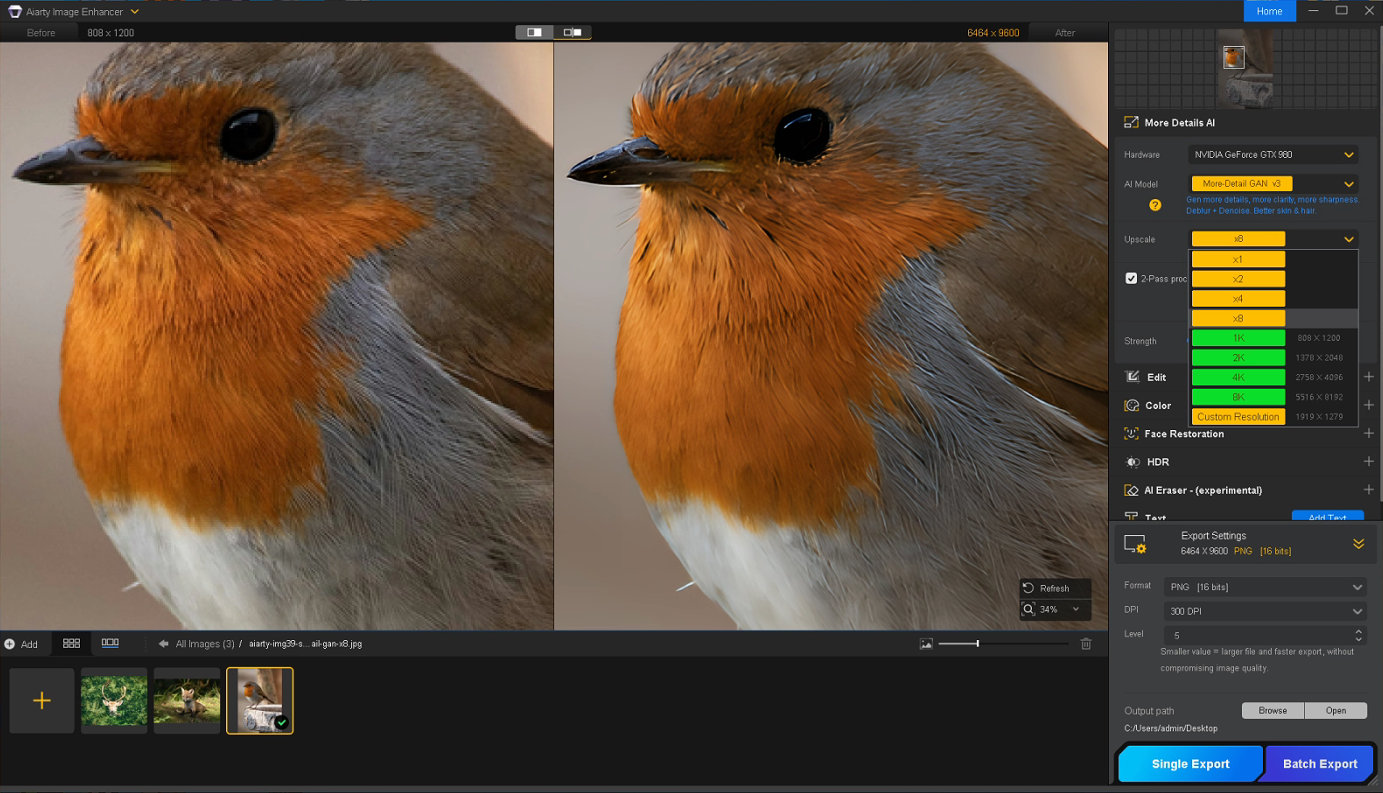
Using Aiarty Image Enhancer’s More-Detail GAN v3 model with 8× Upscale, the image was expanded to 6464 × 9600 pixels. Fine feather textures around the chest, neck, and wings became more visible, while details around the eye and beak appeared cleaner and better defined.
The result remained surprisingly natural despite the extreme enlargement. The additional detail blended well with the original image, making it suitable for larger displays and high-resolution output without an obviously AI-generated appearance.
Case Study 3: Recovering Fine Details in Soft Wildlife Photos
Distant subjects, atmospheric conditions, lens limitations, or previous cropping can all make a wildlife photo appear softer than expected, even when the exposure is otherwise good.
For this example, I used a soft deer photo. Details around the eyes, ears, and forehead appeared somewhat soft.
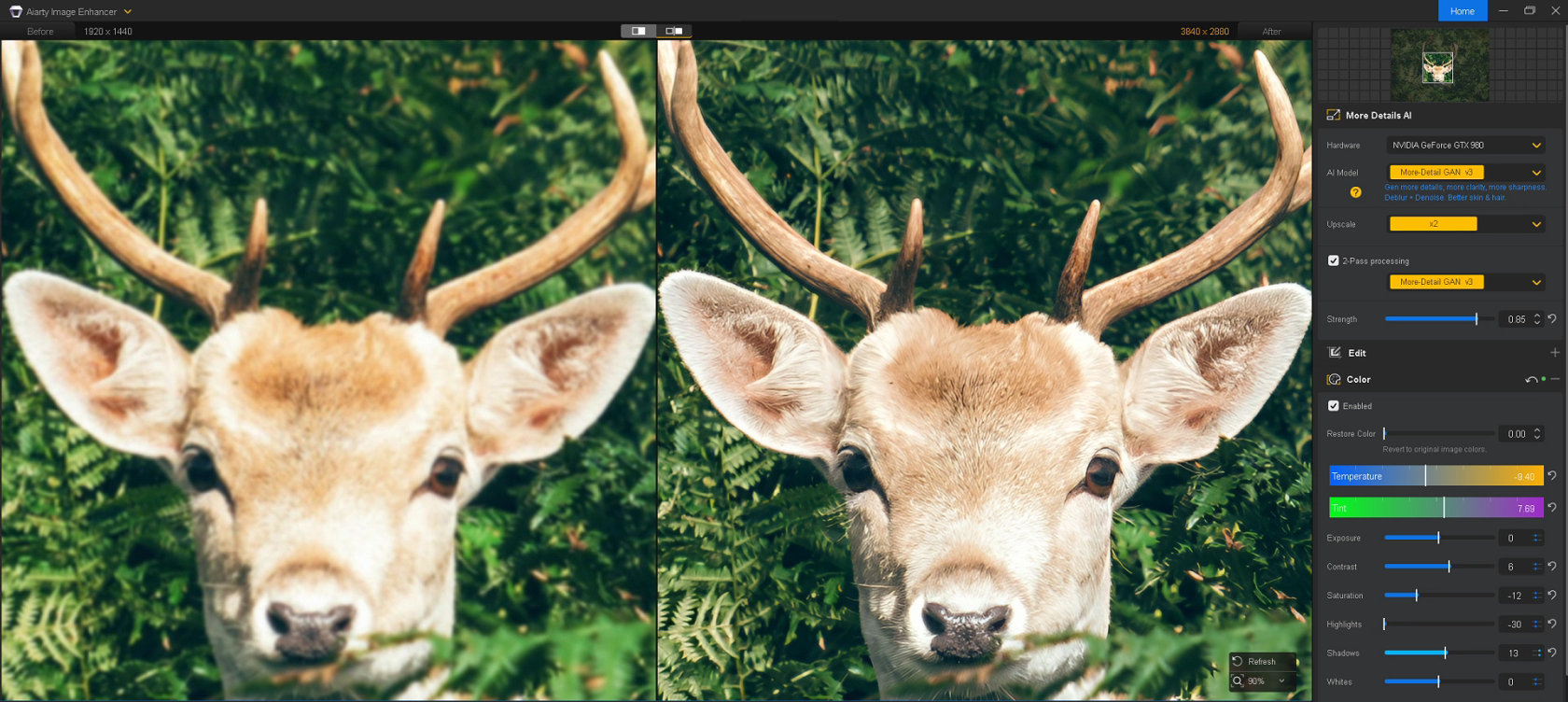
I processed the image using Aiarty Image Enhancer’s More-Detail GAN v3 model with 2× Upscale and Strength set to 0.85. I also applied minor color adjustments to refine the overall appearance.
After processing, the improvement was immediately noticeable. Fur texture across the forehead and ears became more defined, and subtle details around the eyes appeared clearer. The antlers also showed better edge definition, helping separate the subject from the busy background. At the same time, the image retained a natural appearance without the exaggerated sharpening halos that sometimes accompany aggressive enhancement.
Comparing Wildlife Photo Enhancers
Aiarty Image Enhancer helps wildlife photographers reduce noise, recover fine detail, and upscale heavily cropped images while maintaining a natural appearance.
To provide additional context, I also looked at four other popular options used by wildlife photographers, including Topaz Photo AI, Lightroom, DxO PureRAW, and ON1 NoNoise AI.
| Tool | Best For | Key Features | Price |
| Aiarty Image Enhancer | Photography enthusiasts who want natural details with minimal effort | AI denoise, detail recovery, upscaling, sharpening, color correction | Free trial available Lifetime License (Up to 3 Devices): Now $79 (Save 49%) |
| Topaz Photo | Maximum control over enhancement settings | AI denoise, sharpening, upscaling | Personal plan: $17/mo ($199 billed annually) |
| Adobe Lightroom | Photographers already using Adobe workflow | AI Denoise (RAW), manual noise reduction | From $11.99/month (Annual, billed monthly) |
| DxO PureRAW | RAW file preprocessing and denoising | DeepPRIME noise reduction, lens corrections | $139.99 |
| ON1 NoNoise AI | Dedicated noise reduction and sharpening | AI denoise, Tack Sharp AI | Varies by promotion |
Topaz Photo
Topaz Photo is one of the most established names in AI photo enhancement and remains a popular choice among wildlife photographers. Rather than relying on a single workflow, it provides separate tools for denoising, sharpening, and upscaling, along with a wide range of models and adjustment controls.
In my testing, Topaz produced strong results across all three wildlife scenarios.
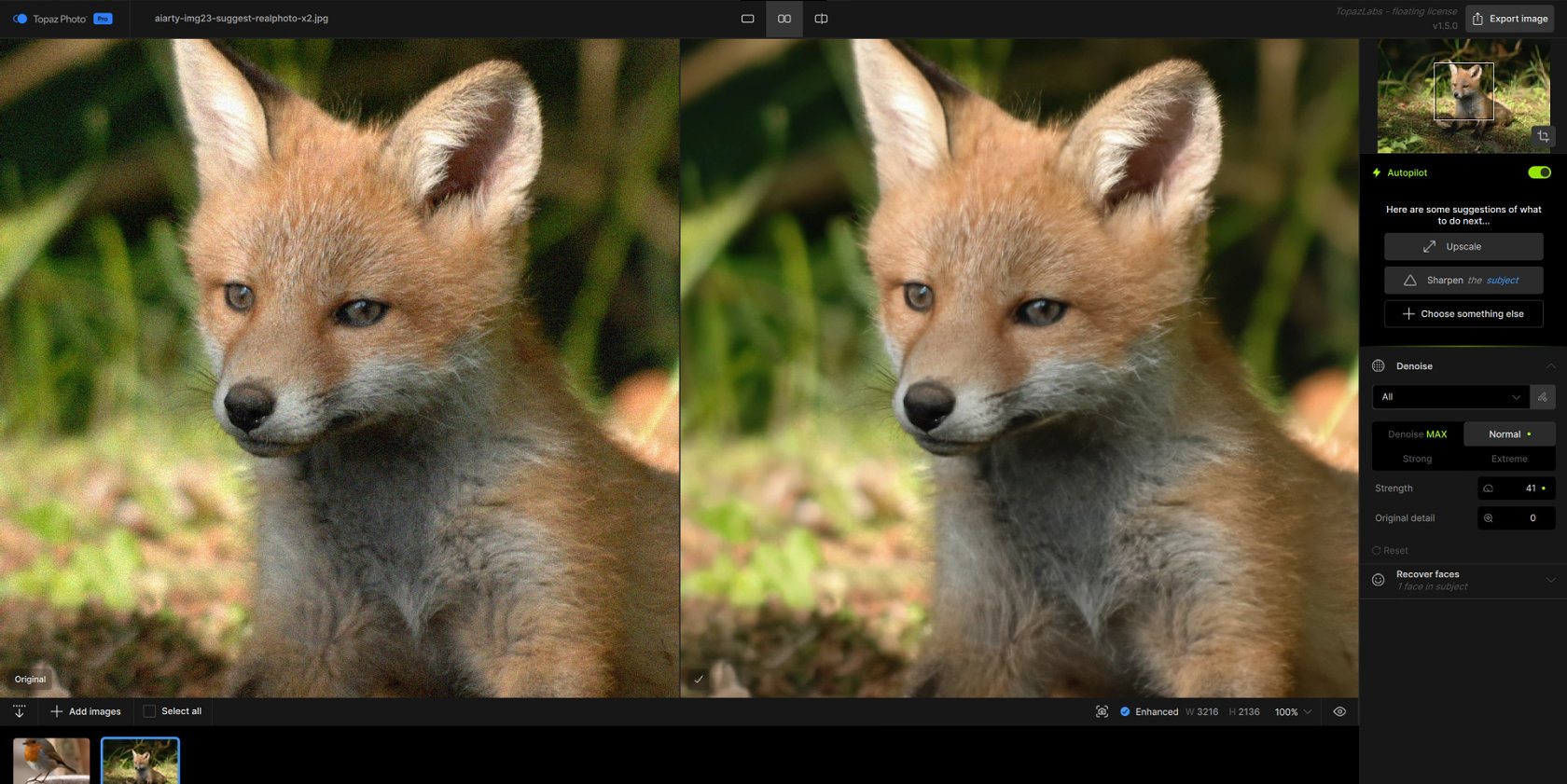
The Denoise feature removed visible noise effectively from the fox image.
Its upscaling models recovered a substantial amount of feather detail in the cropped bird photo.
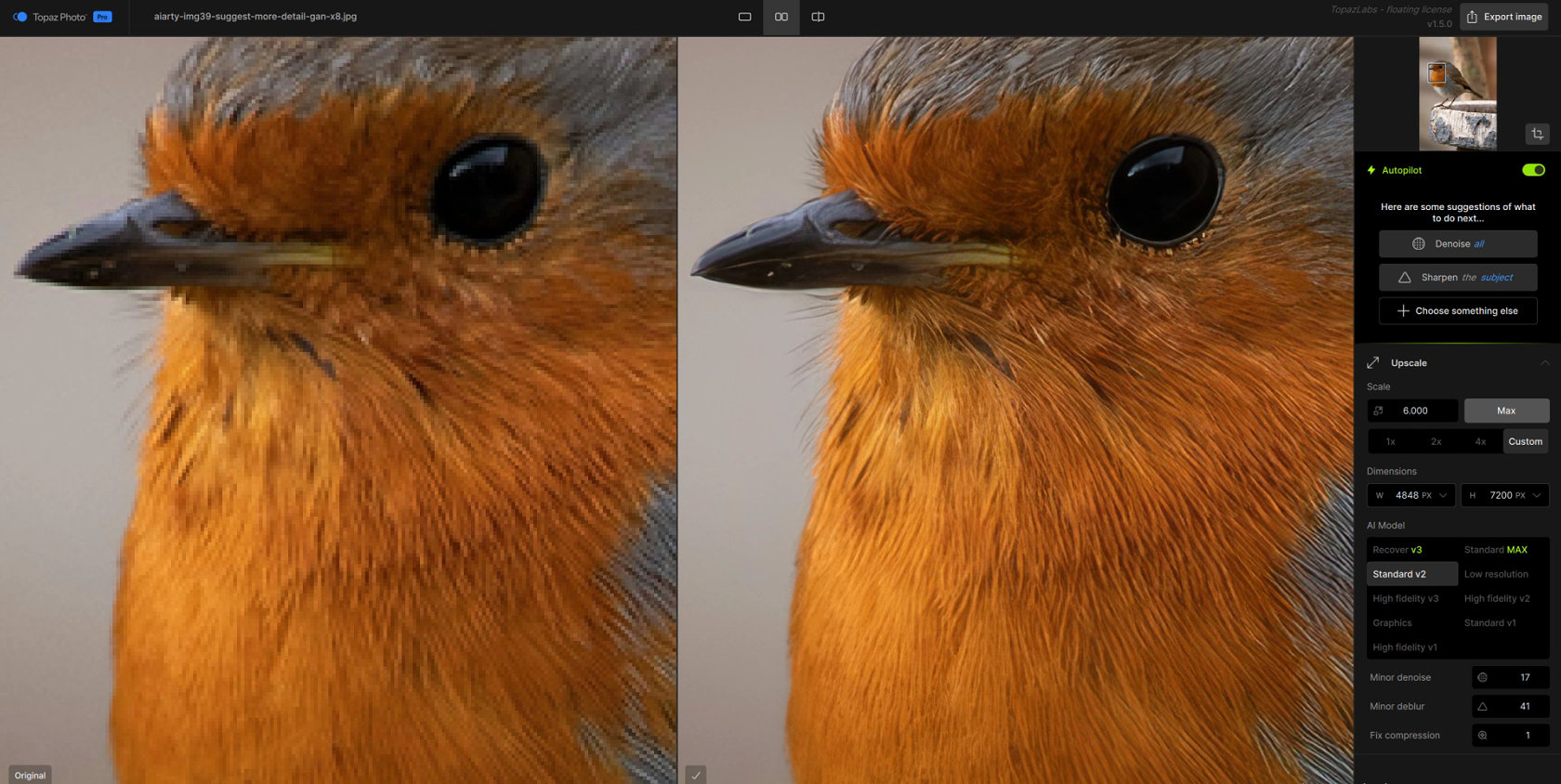
The software also offers a dedicated Wildlife sharpening model, which helped improve definition in fur and feather textures.
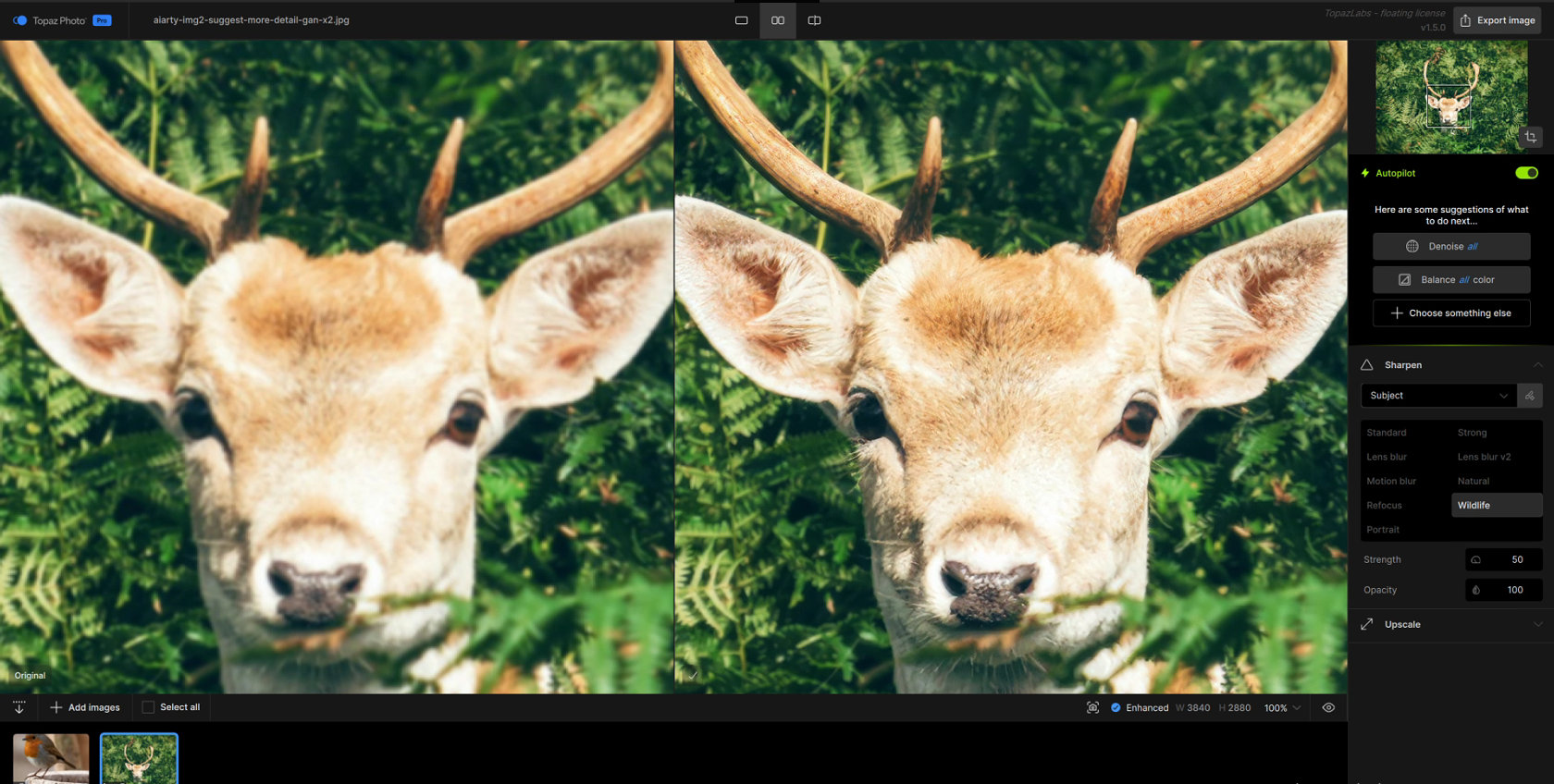
The trade-off is complexity. With multiple models, sliders, and processing options available, achieving the best result often requires some experimentation. Photographers who enjoy fine-tuning every aspect of the enhancement process will likely appreciate the level of control, while those seeking a faster workflow may prefer a more streamlined approach.
Lightroom
For many wildlife photographers, Lightroom is the starting point of the editing process. Because it combines catalog management, RAW processing, color grading, and AI-powered tools in a single application, it offers a convenient workflow without requiring additional software. Lightroom’s AI Denoise feature can be highly effective when working with supported RAW files, helping reduce noise while preserving much of the original detail. It also includes sharpening, masking, and local adjustment tools that allow photographers to refine wildlife images without leaving the Adobe ecosystem.
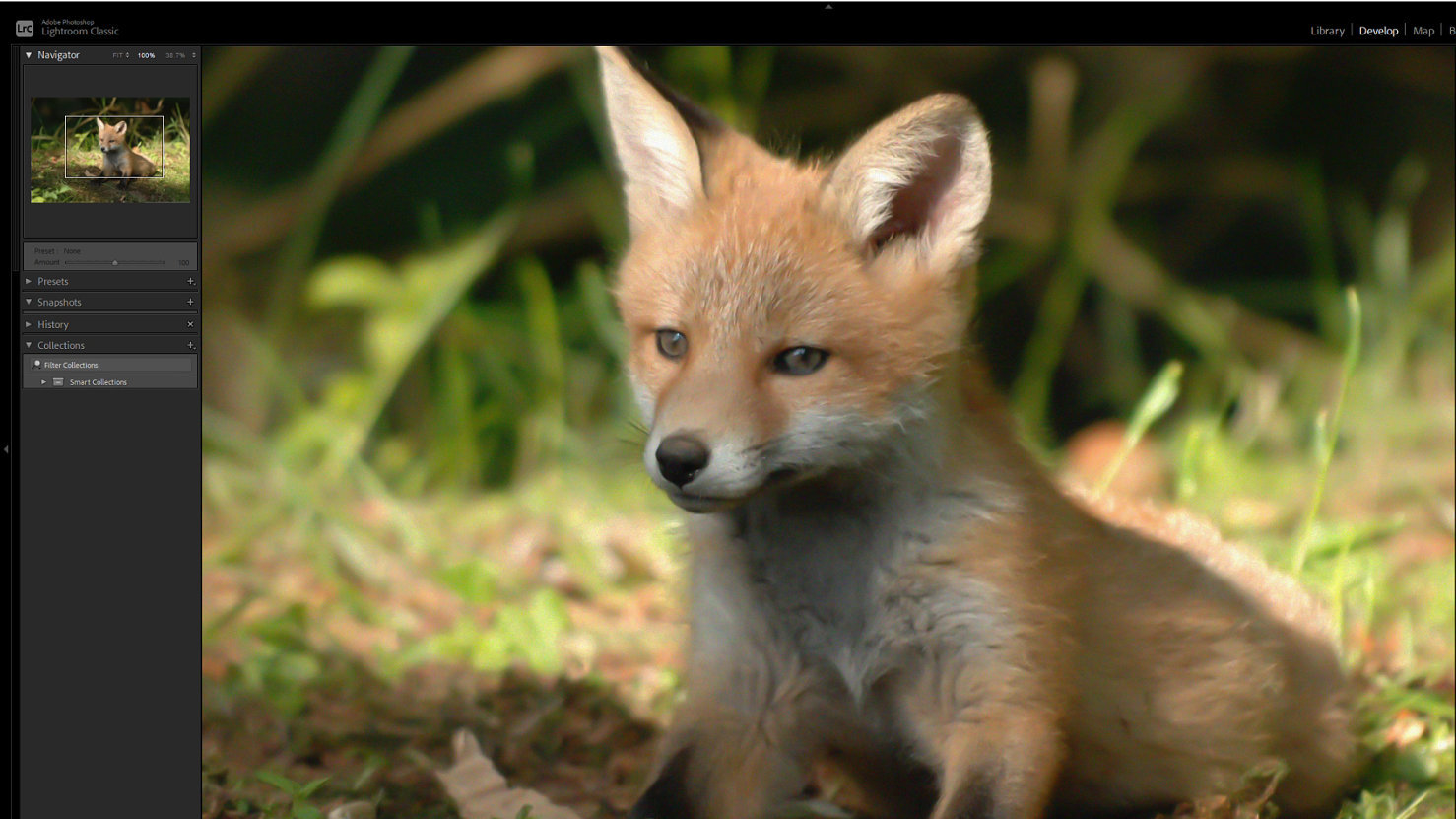
For photographers who already spend most of their editing time in Lightroom, the convenience factor alone makes it a practical choice. The ability to manage and enhance images within a single workflow remains one of its biggest advantages.
DxO PureRAW
Powered by DeepPRIME technology, DxO PureRAW can remove heavy high-ISO noise while preserving fine details that are often lost with traditional noise reduction methods. This makes it particularly appealing for wildlife photographers who frequently shoot in low light at dawn, dusk, or in dense forests.
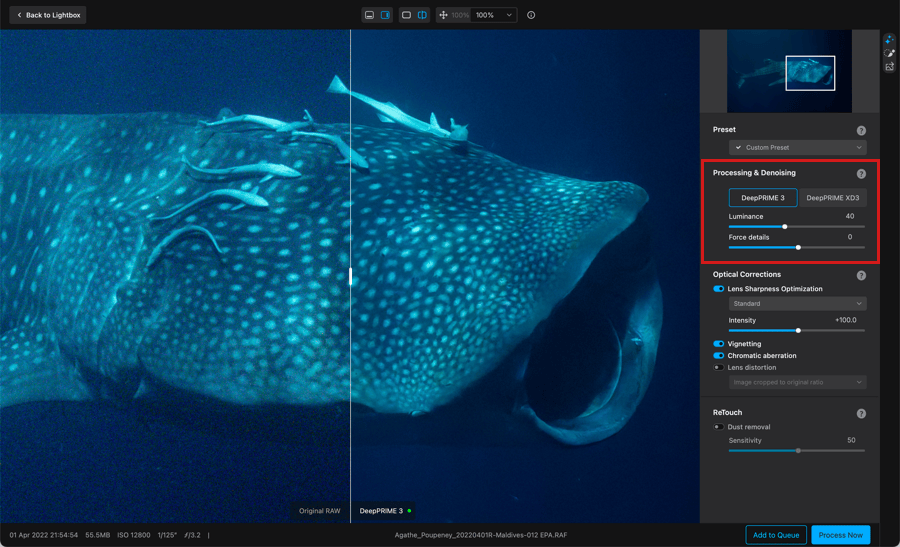
Another advantage is DxO’s lens correction system. The software automatically applies camera- and lens-specific profiles to improve sharpness, reduce distortion, and correct optical flaws before the image even reaches Lightroom or Photoshop.
DxO PureRAW is much more specialized than tools like Aiarty Image Enhancer or Topaz Photo AI. Its primary role is to deliver a cleaner, higher-quality RAW file as the starting point for further editing.
ON1 NoNoise AI
ON1 NoNoise AI is primarily built around noise reduction and sharpening rather than full-scale image enhancement. During my review, it felt more focused than many of the other tools in this comparison, with most controls centered on cleaning up image noise while preserving detail.
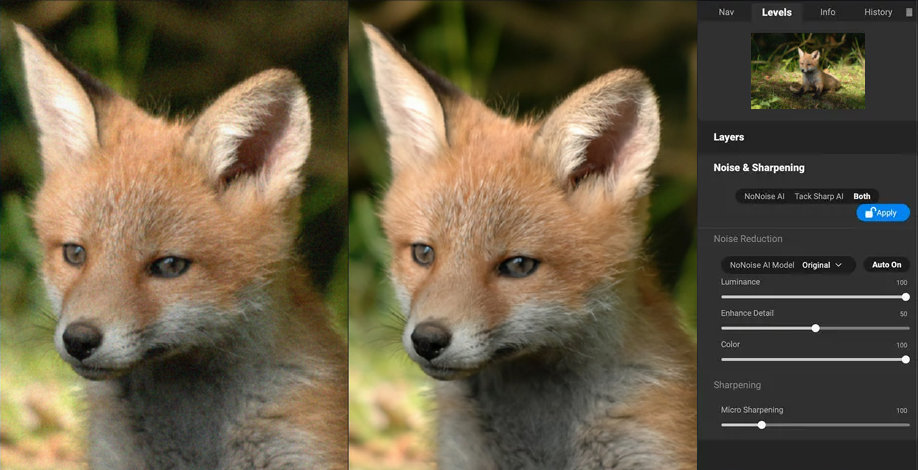
The software provides controls for luminance noise reduction, detail recovery, color noise correction, and micro sharpening, allowing photographers to adjust how aggressively an image is processed. It also includes Tack Sharp AI for additional sharpening when extra subject definition is needed.
For wildlife photographers working with high-ISO captures, that focused approach may be all that’s needed when noise is the primary concern.
You are not a user here. You are a co-builder.
The new Great Big Photography World is being built in the open, by the photographers in it. Join the beta, help decide what we ship next, and get in before everyone else. Your feedback shapes the platform, not an algorithm.
Free until December 2026, with a free layer for everyone after, so you keep access either way. No card needed to join.
Become a co-builder


